

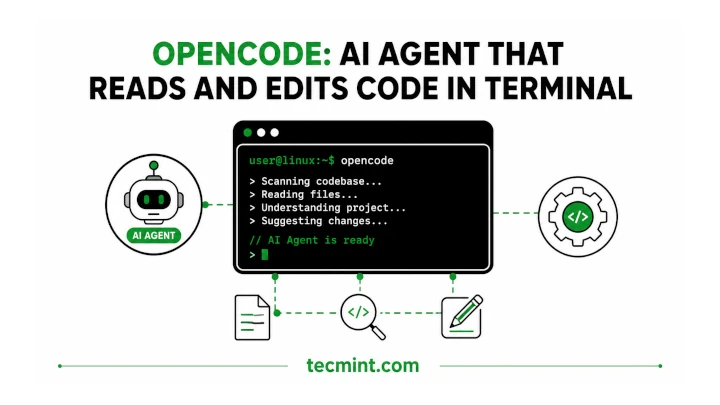
The post OpenCode: AI Agent That Reads and Edits Code in Terminal first appeared on Tecmint: Linux Howtos, Tutorials & Guides . OpenCode brings an AI coding agent right into your terminal. Once you see it understand an entire project instead of The post OpenCode: AI Agent That Reads and Edits Code in Terminal first appeared on Tecmint: Linux Howtos, Tutorials & Guides .
I spend most of my day in the terminal, whether I’m debugging a systemd service on a RHEL server or writing Bash scripts for the Pro TecMint courses. So when I first tried OpenCode, I didn’t expect much. I had already used a few AI coding tools that felt like add-ons to an IDE and could only guess what was happening based on the file that was open.
OpenCode was different from the start. I pointed it to a messy Node.js project with around 40 files and asked why a background job kept failing silently. It traced the dependencies on its own, opened the right three files, and showed me that the retry logic was swallowing an exception.
The whole process took about 90 seconds of typing and a few minutes of waiting. What made me continue using it was its terminal-first design. It isn’t a browser wrapper or a plugin competing with your editor’s shortcuts.
It’s a proper terminal user interface (TUI) with a client-server architecture underneath, so the agent process can keep running even if your terminal session disconnects. Since it’s not tied to a single AI provider, I can use Claude, OpenAI, or even a local model, depending on the task and how much I want to spend that day. What OpenCode Actually Does OpenCode is an open-
Source and reference
source AI coding agent that runs inside your terminal and uses a language model to read, write, and modify code in a real project. Instead of copying and pasting code snippets into a chat window, you simply point OpenCode to a project directory, explain what you want to do, and it works directly with your files, runs commands, and applies changes when needed. Two things make it different from a basic AI chatbot wrapper. First, it comes with built-in agent modes that you can switch between by pressing the Tab key. The build mode can edit files and run commands, making it useful when you want the agent to implement changes. The plan mode is read-only and is meant for analysis, helping you explore and understand a codebase before allowing it to modify anything. Second, OpenCode is provider-agnostic, which means you’re not tied to a single AI service. You can connect it to Claude...
Read original source- Published
- Jul 13, 2026
- Updated
- Jul 13, 2026
- Source
- Tecmint
- Category
- Technology
- Read time
- 10 min
Key facts
Why this matters locally
This technology story matters locally because it may affect readers, businesses, commuters, families, or public services in British Columbia.
Local impact
BC Post links this item to British Columbia coverage so readers can follow related city updates, weather, traffic, events, and category news in one place.
Timeline
Source and credit
BC Post may summarize, organize, and add local context for reader clarity. Original reporting remains with the listed publisher.
Related Articles
View all Technology
Transformer-manufacturing company to shut down its Chilliwack facility
Technology
Transformer-manufacturing company to shut down its Chilliwack facility
 Technology
Asus ROG Strix XG32UQWMS review
Technology
Asus ROG Strix XG32UQWMS review
 Technology
Caseway and MiTAC Advance Technology Partner to Bring Trusted AI Decision Intelligence to Taiwan’s Defence and Critical Infrastructure
Technology
Caseway and MiTAC Advance Technology Partner to Bring Trusted AI Decision Intelligence to Taiwan’s Defence and Critical Infrastructure
 Technology
ECT Reprograms Adult Neurons into a Youthful State
Technology
ECT Reprograms Adult Neurons into a Youthful State
 Technology
Spectro Cloud Raises $100 Million Series D to Help Customers Move AI Infrastructure Into Production Across Enterprise, Public Sector, Neocloud and Sovereign Cloud Environments
Technology
Spectro Cloud Raises $100 Million Series D to Help Customers Move AI Infrastructure Into Production Across Enterprise, Public Sector, Neocloud and Sovereign Cloud Environments
 Technology
The Canadian Companies Building AI Infrastructure and Why They Matter
Technology
The Canadian Companies Building AI Infrastructure and Why They Matter
More Local Coverage
Latest news Business
AI Market Trends: Q2 2026 Review and Forecast
Business
AI Market Trends: Q2 2026 Review and Forecast
 Top
‘Entire city’ asked to help search for missing 11-year-old Parker: Calgary police
Top
‘Entire city’ asked to help search for missing 11-year-old Parker: Calgary police
 Politics
Powerful pro-life ad featuring boxing legend to air during final World Cup matches
Politics
Powerful pro-life ad featuring boxing legend to air during final World Cup matches